
Overcooked! is one of the most beloved multiplayer games, where cooperation is essential to prepare dishes in chaotic kitchens. But a frequent question among players is: can you play with multiple people on the same screen in Overcooked!? The answer is yes, and there are several ways to enjoy this collaborative experience.
Playing with multiple people in local mode on Overcooked!
The local cooperative mode in Overcooked! allows multiple players to share the same screen, an ideal setup for playing with friends or family on the same console. This game mode reinforces the need for good coordination, as everything happens on the same screen.
Number of players supported
In the Overcooked! 2 version, you can play with up to four players on the same screen, creating an experience that is both fun and chaotic. Each player takes on a role in preparing dishes, serving, and managing tasks in a constantly moving kitchen.
Game setup on the same screen
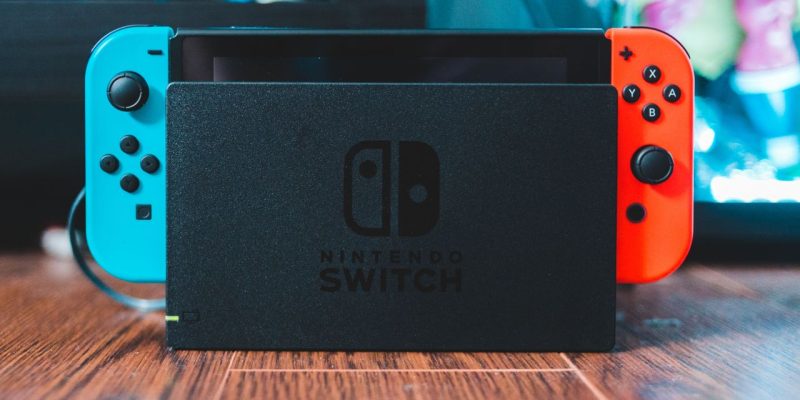
- Console: If you are playing on PlayStation, Xbox, or Nintendo Switch, you only need additional controllers for each player. The game is designed to allow multiple people to play simultaneously on the same television.
- PC: On PC, if you have multiple controllers or if you use a keyboard and a controller to play together, you can easily organize a local game with your friends, although the shared keyboard with multiple players is less convenient.
Setting up the game to play on the same screen
Start a local game
To begin, you need to launch Overcooked! and choose the local game or local multiplayer mode option. The game will then prompt you to connect controllers for each player.
Add players
Once you are in the main menu, each player can press a button to join the game. Once all players are connected via their controllers or gaming devices, they can choose their character and participate in the chaotic kitchen.
Screen sharing
Once the players are added, the screen will be split according to the number of participants. For example, with four players, the screen will be divided into four sections for each player, so everyone has a view of the kitchen and the ongoing action.
The game dynamics on a single screen
One of the most entertaining yet challenging aspects of Overcooked! is the need for coordination and communication. When multiple players share the same screen, it is important to work together to avoid costly mistakes, such as preparing incorrect dishes or wasting time searching for an ingredient.
Communication is key
Even though the screen is shared, each player must ensure good communication to avoid hindering each other’s actions. For example, one player can focus on chopping vegetables, while another handles cooking, and a third prepares to serve the dishes.
Managing the workspace
Since there are multiple people interacting with the screen at the same time, it is important that everyone knows their role and where to go to avoid stepping on each other’s toes. Setting up a task assignment system is often a good strategy to ensure efficiency.
Alternatives to playing on a single screen
If you want to expand the experience and play with friends remotely, Overcooked! also offers an online multiplayer mode. This allows you to play with friends via Internet, although this is not directly related to the same screen functionality.
Using different controllers and configurations on PC
If you are playing on PC, it is also possible to use specific configurations, such as a shared keyboard or playing with multiple controllers connected to your computer. However, keep in mind that playing on multiple physical devices can make coordination a bit more complicated than in local mode on a console.
Managing space and cooperation in the kitchen
While playing Overcooked! on the same screen is a fun and intense experience, some challenges arise due to the space restriction. Players must constantly move, pass ingredients, and sometimes even navigate smaller and more crowded kitchens. This can lead to situations where multiple players get stuck, making cooperation even more complicated.
Dynamic kitchens
Each level of Overcooked! presents different challenges, such as moving kitchens, obstacles, or changing settings. This requires even more coordination between players. Sharing a screen makes this task more difficult but also more fun.
The chaos of orders
The fact that all players are on a single screen leads to a certain visual chaos, especially when multiple dishes are being prepared at the same time. Players must be attentive to every detail and know where the ingredients, utensils, and ongoing dishes are located.





