
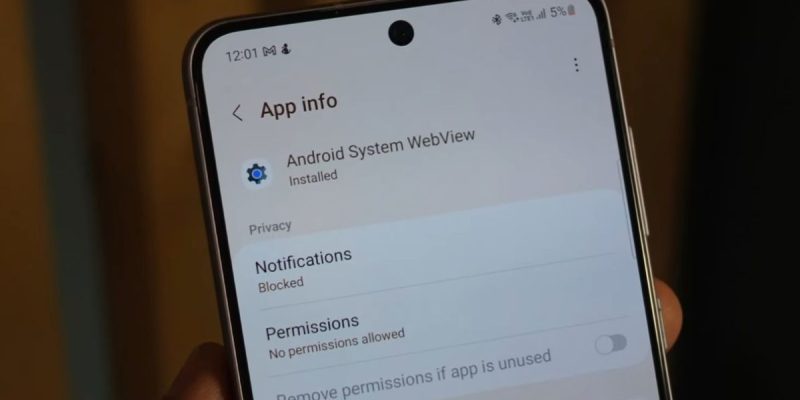
Since the release of version 125 of Android System WebView, several Galaxy S21 and S22 smartphone users have reported unexpected app closures. Web-based applications, such as embedded browsers, messaging platforms, and some banking apps, abruptly close without warning. This bug quickly caught attention on forums and social media, causing a wave of concern among affected users.
An update that destabilizes certain apps
Android System WebView is an essential component of Android, responsible for rendering web content in applications. When it encounters a bug, the effect is immediate: any application using this engine can close without warning.
For the Galaxy S21 and S22, users observed that apps often closed at launch or when accessing embedded pages. The most affected applications included messaging platforms, social networks, and some banking apps. The phenomenon was confirmed by screenshots and logs shared on Reddit and Samsung forums.
The extent of the problem according to reports
While not all units are affected, the incident is widespread enough to cause notable inconvenience. According to feedback collected on several tech forums:
- More than 60% of reports concern Galaxy S21
- About 35% concern Galaxy S22
- Other Galaxy models are less affected, but a few isolated cases have been reported
Users have found that uninstalling or temporarily disabling WebView sometimes restores normal operation, but at the cost of significant limitations in integrated web applications.
Probable causes of the malfunction
The bug seems related to a compatibility issue between version 125 of WebView and certain Samsung One UI interfaces, combined with specific features of the Galaxy S21 and S22. Technical analyses suggest that certain web rendering routines cause crashes when calling system components, leading to automatic app closures.
This situation is a reminder that even minor updates to a central component can generate cascading effects on third-party applications, especially on high-end devices with customized interfaces.
Initial solutions proposed
Several temporary solutions have been identified by the community:
- Uninstall WebView updates via Android settings
- Force stop and clear cache of affected applications
- Update all applications dependent on WebView to fix incompatibilities
These measures help limit interruptions but do not constitute a definitive solution. Only an official corrective update can restore stable operation.
The responsiveness of developers and Google
Google and Samsung quickly took the reports into account. Fixes are being deployed via the Play Store or system updates. The first beta versions show a marked improvement: affected applications remain open, and crashes are significantly reduced.
This episode highlights the dependence of smartphones on central software components and the need for publishers to test their updates on different models before mass deployment.
Users, unintentional actors in the diagnosis
As with many software bugs, rapid detection was made possible thanks to user reports. Forums and social media served as relay points, allowing technical teams to locate affected models and conditions of occurrence.
The collection of detailed feedback, including screenshots and logs, accelerated the identification of the problem and the development of the fix.
Implications for user trust
A central component like WebView affecting multiple applications can alter the perception of a smartphone’s reliability, even high-end ones. Repeated crashes disrupt daily use and can generate a sense of frustration.
Manufacturers and developers must therefore communicate quickly and provide clear instructions to limit the impact of temporary bugs on users.







