With the rapid evolution of technologies, many users are still unaware of the hidden potential of a key element of their television: the USB port. Far from being superfluous, this versatile tool can completely transform your television experience. Discover how to maximize the use of this port to meet various needs, whether it’s storage, gaming, or sharing memories.
Key Points to Remember
- The USB port on modern televisions allows you to increase storage capacity by connecting a USB stick or an external hard drive.
- It can transform your television into a workstation or a gaming console by connecting USB peripherals like a keyboard or a controller.
- The USB port facilitates the sharing and playback of photos and videos directly on the television screen.
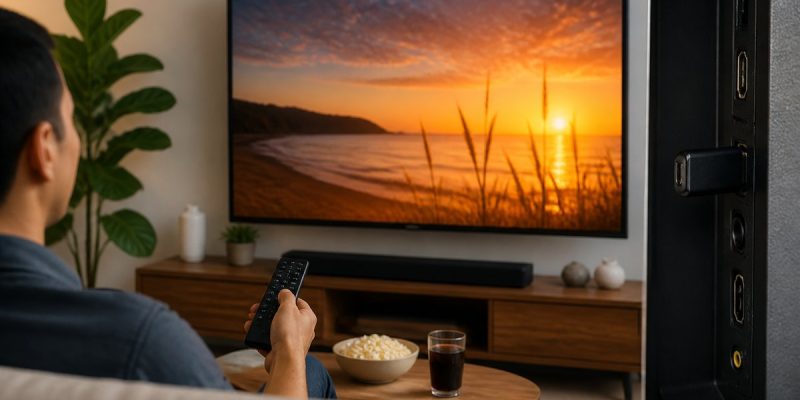
Imagine yourself comfortably settled in your living room, your television transformed into a true multimedia center thanks to a simple USB port. With a few manipulations, you access your favorite movies, save your favorite shows, and even relive your vacation memories in a slideshow. The possibilities are endless, and all this without having to juggle between different devices or complex cables. Dive with us into this universe where each USB port becomes an open door to a world of entertainment and efficiency.
Increase Your Television’s Storage Capacity
Modern televisions, even those connected, often suffer from limited storage capacity. With internal memory of 8 to 16 GB, it quickly becomes difficult to install applications and multimedia content. The USB port offers a simple solution to extend this capacity. By connecting a fast USB stick or an external hard drive, you can directly save your favorite shows and enjoy many movies without cluttering the television’s internal memory.
Some advanced models automatically detect external storage devices and optimize formatting to ensure smooth and uninterrupted playback. This feature transforms your television into a powerful multimedia hub, capable of adapting to all your entertainment needs.
A Workstation or Gaming Console Thanks to USB
The USB port is not limited to storage. It can also transform your television into a workstation. By plugging in a keyboard and mouse, you can browse the Internet, write emails, and access your professional documents directly from your screen. The user interface then becomes intuitive and fluid, ideal for daily use.
Video game enthusiasts are not left out. By connecting a controller via USB, you access a plethora of streaming games, thanks to services like GeForce Now. This integration offers a gaming experience close to that of a console, without requiring complex configuration or additional adapters.
Easy Sharing of Memories on the Big Screen
The USB port also facilitates the sharing of photos and videos. Simply insert a USB stick containing your memories and let your television display them instantly. This feature is particularly appreciated during family or friend gatherings, allowing you to relive precious moments on the big screen.
Some televisions go even further by offering dynamic slideshows accompanied by music, for an even more immersive and personalized presentation. This ease of use eliminates the need for third-party applications, ensuring optimal compatibility and fluidity.
Transform Your Television into a Multimedia Storage Hub Thanks to USB
Beyond the features already mentioned, the USB port on a modern television can also serve as an access point for a multitude of streaming services and applications. By moving certain applications to external storage, you free up internal space, allowing the installation of new content without constraint. This flexibility ensures that your television can evolve with your needs, whether for work or leisure.
The Challenges of Limited Storage in Modern Televisions
With the proliferation of digital content, managing storage space is becoming an increasing concern for many Smart TV users. The limited internal storage options of modern televisions force consumers to seek alternative solutions. Companies like Roku and Amazon, with their Fire TV devices, have begun exploring cloud storage options to address these limitations, paving the way for more integrated and wireless solutions.
The development of more advanced storage technologies, such as SSDs integrated into televisions, could also offer a long-term solution to these challenges. Companies such as Samsung and LG are at the forefront of this innovation, seeking to integrate these technologies to offer a smoother and uninterrupted user experience.
FAQ on Using the USB Port of Televisions
How to increase a television’s storage capacity via the USB port?
By connecting a USB stick or an external hard drive, you can extend your television’s storage capacity, allowing you to save and access more content.
Can you play video games on a television using the USB port?
Yes, by connecting a controller via the USB port, you can access streaming games and enjoy a gaming experience similar to that offered by a home console.
How to share photos and videos on a television using the USB port?
Insert a USB stick containing the desired files into the television’s USB port. The photos and videos will be automatically detected and displayed on the screen.
What are the advantages of using a USB port on a television?
The USB port allows you to extend storage, improve Internet navigation with a keyboard, play video games, and easily share visual memories, all without requiring complex additional configurations.